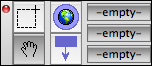
Top row, button #1. Switches to the Marquee cursor—use this to select multiple notes in view windows. Cursor is the arrow when over a note.
A drag select with this tool in Map views ignores locked adornments.
This version is out of date, covering development from v5.0.0 to v5.12.2. It is maintained here only for inbound reference links from elsewhere.
Jump to the current version of aTbRef.
Quicklinks: Attributes | Action Codes | Export Codes | Designators | Date Formats | aTbRef Site Map | Here

Top row, button #1. Switches to the Marquee cursor—use this to select multiple notes in view windows. Cursor is the arrow when over a note.
A drag select with this tool in Map views ignores locked adornments.
Possible relevant notes (via "Similar Notes" feature):