
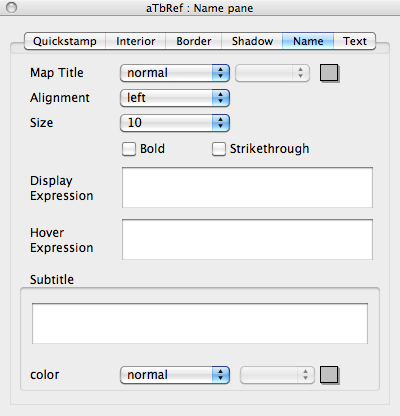
This Inspector pane, give easy access for setting a number of map icon title-related attributes of notes. The results are applied to all selected note(s).
Map Title
There are 3 'standard' colour controls that set $NameColor:
- Colour pop-up menu.
- Colour Shade pop-up menu.
- Custom Colour colour picker dialog.
Alignment
Name placement options in the Name Alignment pop-up menu set $NameAlignment.
Size
Sets $MapTextSize (from v5.9.2). The pop-up shows type point size which sets an underlying $MapTextSize value (in brackets):
- 9 (75)
- 10 (83)
- 12 (100) - default
- 14 (117)
- 16 (133)
- 18 (150)
- 24 (200)
- 32 (267)
- 48 (400)
The Bold option toggles $NameBold.
The Strikethrough option toggles $NameStrike.
DisplayExpression displays/sets $DisplayExpression (from v5.10.0).
HoverExpression displays/sets $HoverExpression (from v5.10.1).
Subtitle displays/sets $Subtitle (from v5.10.0).
(Subtitle) color controls sets $SubtitleColor (from v5.10.0).